
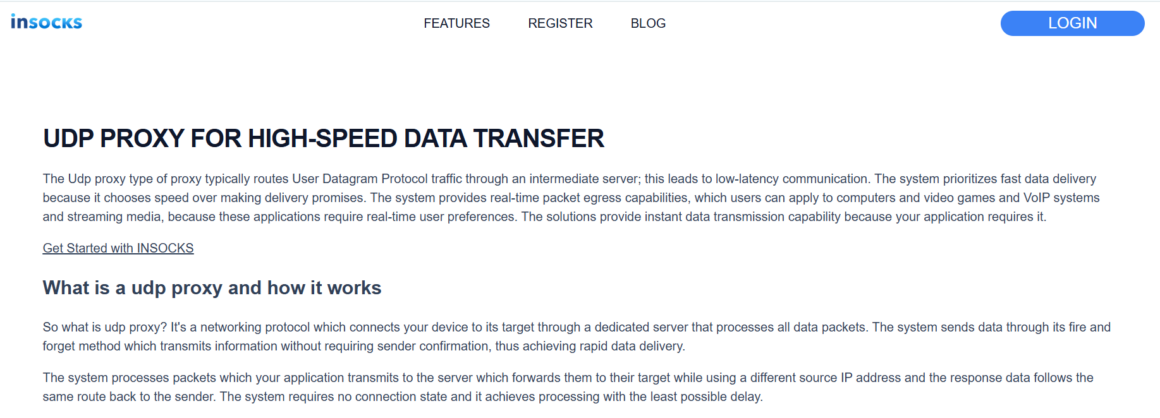
Live digital systems behave very differently from ordinary web sessions, and that is exactly where a UDP proxy becomes useful. On the INSOCKS page, the product is framed around fast packet forwarding for gaming, VoIP, streaming, analytics, telemetry, and other real time workloads where lower delay matters more than perfect delivery order. The service also pairs that technical idea with practical operating rules such as 24 hour access, blacklist checks, refund windows, remote DNS support, and history based reuse, which makes the topic broader than pure network speed. The most interesting part is not just how UDP traffic moves, but how quickly a user can validate, keep, replace, or reject a route before it starts wasting time. ✨
Why fast validation matters for UDP traffic
UDP traffic is most valuable when timing is more important than strict delivery guarantees. The product page explains that the protocol uses a connectionless fire and forget method, which removes handshake overhead and helps applications such as games, VoIP, and streaming send packets with minimal delay. When the whole value of the route depends on speed, a slow validation process can cancel out the product’s advantage.
Speed helps only when the task actually fits
The page is direct that UDP is not universal and lists file transfers, web browsing, and financial transactions as poor matches because they need reliable delivery that UDP does not promise. That means the first validation step is not technical setup but workload matching. A user who chooses UDP for the wrong job may blame the proxy when the real issue is protocol fit. ✅
Low latency has to be checked early
INSOCKS highlights direct routing, minimal overhead, real time packet egress, and sub 10ms overhead as the core performance logic of the service. At the same time, its refund rules say the system can refund offline proxies only within a short initial window, with manual refund available when a proxy goes offline within two hours and support tickets required within five hours after purchase. That makes early testing more than a good habit because delay can close the practical path to correction.
What the INSOCKS page reveals about UDP operations
The page is not only a product pitch about latency. It also outlines how traffic type, pricing, blacklist state, location, and support timing affect the daily experience of using these routes. Reading those pieces together gives a more practical view of how the service should be operated.
|
Product element |
What the page says |
Why it matters in practice |
|
Traffic fit |
Native datagram traffic for gaming VoIP and streaming |
Confirms the product is built for live packet flows |
|
Performance focus |
Direct routing and sub 10ms overhead with USA servers |
Makes latency testing the main success metric |
|
Access window |
Proxy port is opened for 24 hours after purchase |
Encourages fast validation and short decision cycles |
|
Pricing logic |
Base price varies and freshness or blacklist status changes cost |
Turns route quality into a buying variable |
|
History reuse |
Proxies can be bought again from history |
Helps repeat strong routes and avoid random selection |
|
Remote DNS |
SOCKS proxies support remote DNS |
Improves technical cleanliness during use |
How UDP compares with more familiar proxy logic
The product page spends time explaining how UDP differs from TCP and HTTP rather than treating all proxy traffic as interchangeable. That matters because many users first approach proxies through browsers and only later realize that real time applications behave under a different logic. Comparison is what prevents the wrong expectations from shaping the test.
UDP compared with TCP and HTTP workflows
According to the page, TCP and HTTP add overhead through connection establishment and stronger delivery logic, while UDP removes handshake delay and forwards packets faster at the cost of reliability and order guarantees. That makes TCP and HTTP stronger for web sessions, forms, and transfers, but weaker for low latency communication when a little packet loss is acceptable. In other words, faster is not always better, but in the right live environment it can be the deciding factor.
UDP compared with SOCKS based handling
The page says SOCKS5 can technically handle this kind of traffic, but implementation varies and native solutions built for connectionless protocols can deliver more consistent performance. That makes a dedicated UDP route attractive for users who do not want to gamble on mixed support or partial compatibility. The benefit is not that SOCKS is useless, but that the product is purpose built for this packet style.
When the service should not be forced into the wrong job
INSOCKS explicitly says UDP is unsuitable for file transfers, ordinary web browsing, and financial transactions. That warning is useful because it keeps the product inside its best territory instead of promising to solve every network problem. A route designed for live packets should stay focused on live packets. ❌
Step by step routine for first time deployment
A low latency route becomes easier to manage when the first launch follows a clear order. The product page and policy page together provide enough detail to build a practical setup routine that is much stronger than random testing. Short cycle products usually reward discipline more than volume.
Step one confirm that the workload is truly real time
Start by checking whether the software actually benefits from connectionless traffic. The page names online gaming, game servers, VoIP, streaming, real time analytics, telemetry, and IoT as suitable use cases. If the target task is closer to browsing, downloading, or transaction work, a different proxy logic should be chosen before money is spent.
Step two pick the nearest useful route
INSOCKS recommends choosing geographically close servers and says the UDP infrastructure is built around direct paths to major gaming and streaming endpoints across the USA. That means distance is one of the first variables to control, not an afterthought. In low latency work, geography can matter almost as much as the proxy itself. ✅
Step three test latency before anything else
The product page explicitly advises users to test latency before committing and to monitor packet loss. That makes latency and jitter more useful first metrics than general uptime claims. If the route fails here, later steps do not rescue the workflow.
Step four validate packet loss and route behavior early
INSOCKS says its infrastructure monitors packet loss, jitter, and latency continuously and adapts routing when conditions change. The user should mirror that logic by checking real traffic behavior in the first hours, not waiting until the session has already become part of a larger system. Early observation is what keeps the refund window meaningful.
Step five use history and filters to shape the next cycle
After the first session, history becomes part of the decision process. The rules allow repurchase from history and recommend excluding used proxies to avoid buying the same weak route again. That turns the product into a fast feedback loop instead of a one shot purchase. ✨
Which setup fits which UDP task
Users usually get better results when they assign one operating style to one live traffic pattern. The service page gives enough examples to turn that idea into a simple planning guide. This is where the product becomes easier to use with purpose.
|
Use case |
Main success metric |
Best first check |
|
Competitive gaming |
Lower delay and smoother action updates |
Ping and jitter under live conditions |
|
VoIP calls |
Audio continuity with minimal delay |
Packet loss and voice stability |
|
Streaming support |
Continuous media signaling and quick delivery |
Route consistency over session time |
|
Telemetry and IoT |
Fast throughput for many readings |
Sustained flow under repeated packet bursts |
|
Hosting with reverse direction needs |
Incoming connection handling |
Reverse proxy compatibility and path quality |
Best fit for gaming and esports style traffic
The page says gaming servers need instant position updates and that even small delay can matter in competitive settings. For this kind of work, the route should be judged first on real live responsiveness rather than on abstract throughput. A gaming focused UDP workflow is only as good as the moment to moment feel it produces.
Best fit for VoIP and streaming tasks
INSOCKS states that voice traffic encoded in short intervals cannot wait for retransmission and that streaming support depends on continuous flow. These jobs benefit when the route stays light and interruption free, even if perfect packet delivery is impossible. The correct test is therefore continuity under live load rather than theoretical protocol purity. ✅
Best fit for telemetry and large signal flows
The page says IoT sensors may send thousands of readings where missing one is less damaging than delaying the whole system. That makes UDP useful for throughput oriented signal environments where timeliness matters more than perfect completeness. The stronger question here is whether the route keeps pace, not whether it makes every packet sacred.
Practical advice for keeping the route useful
A UDP product works better when a few habits stay visible during every cycle. The service itself provides many of these habits in simple form, especially around testing, monitoring, and route hygiene. They are small steps, but together they create a much cleaner working rhythm.
Use the route only where its strengths matter
- ✅ Keep UDP for gaming, voice, streaming, telemetry, and other low latency tasks.
- ✅ Keep TCP or HTTP based logic for browsing, transfers, and high integrity data work.
- ✅ Use route type as a workload decision, not as a habit.
Protect the workflow from repeat errors
- ✅ Test in the first hours after purchase.
- ✅ Use history and Exclude used proxies to avoid rebuying disappointing routes.
- ✅ Set Remote DNS when appropriate to prevent DNS leakage.
Respect the limits and policy layer
- ❌ Do not use the service for spam, scanners, bruteforcers, or attacks on proxy servers.
- ❌ Do not expect refunds for blacklist status, high fraud score, or a site specific block.
- ❌ Do not wait too long before opening a ticket on a bad route.
Where this product creates the clearest value
The most useful way to read the INSOCKS UDP page is as a fast operational tool for live traffic, not as a general purpose proxy. Its main strengths are direct routing, low overhead, USA server focus, early test advice, short access cycles, and practical rules around history and refunds. When used that way, the product becomes easier to judge and easier to keep aligned with the jobs it was built for. ✨
Better results come from faster decisions
A user usually gets more value from judging the route in the first hours than from stretching the experiment across the whole day. Low latency traffic rewards quick proof, and the service rules are clearly built around that reality. When the route fits, it becomes a sharp tool; when it does not, the system encourages moving on quickly.