
A company’s visual design is the first aspect that affects customers’ decisions whether to buy that brand’s product or not. Having a professional brand image without spending much effort or resources has become easier with diverse smart design tools.
Design.com and Hatchful are among the top smart design makers in the field. They help users to have a unique and professional design in a short amount of time. With the help of their intuitive interface and enhanced AI integration, these tools become irreplaceable solutions in design creation.
The main focus of the article is to compare core aspects of the smart design tools and help readers make a mindful decision when choosing a tool to create their brand’s visual identity.
Main Aspects of the Smart Design Tools
Design.com
Design.com is the leading design tool in the field, providing AI-powered solutions and numerous design features. The tool is easy to utilize and an affordable choice suitable for people with diverse needs and goals.
Key Advantages
- Top-Rating: Design.com is a highly rated design platform with a 4.7-star rating on TrustPilot, along with 3000 reviews.
- Ask Colleague Opinion: The platform gives an opportunity to create a voting poll, share it with your teammates, ask their opinion about the design, and enhance it based on the feedback.
- Numerous Languages: The platform is multilingual, and creators can use languages like English, Spanish, French, German, Portuguese, Canadian, and Brazilian.
- Different Currencies: You can use the currency that is the most suitable for your region, including USD, EUR, AUD, IBR, PHP, BRL, MXN, ZAR, GBD, etc.
- Favorite List: With the help of shortlisting, you can save the logos you like most for later access.
- Free Options: The free offerings by Design.com allow you to access a free website builder, a free digital business cards maker, and a free link in bio maker.
- Free Logos: There are a number of logos on Design.com that can be downloaded and edited for free in the same way you can edit the premium ones. In addition, you can get all the logo files as premium logo files, like raster vectors, transparent background, and icon only. Etc. Although if you can create designs and save them, but cannot download them, you will need a premium plan for that.
These are some of the many advantages that Design.com offers, and it has become a leading smart design tool in the field.
Hatchful (by Shopify)
Hatchful is a smart design tool by Shopify that focuses mainly on logo-making. The platform allows users, even with no design experience, to work with it easily with the help of integrated AI and an intuitive interface.
Key Advantages
- Preview Your Logo Design: View your logos on various products, such as cups, bags, shoppers, and many more, or on online social media platforms.
- Quick Design: You can provide information about your brand and create your logo in just a few minutes.
- File Types: Users can download their logos in SVG and PNG files.
These aspects are among the leading ones that Hatchful provides. Now, let’s further compare the tools.
Comparison Overview
Before choosing a better option, we should look at many fundamental aspects and see what features our smart design tools provide.
| Main Features | Design.com | Hatchful |
| AI-Integration | There is enhanced AI integration, including, AI logo generator, an AI website builder, AI flyers, AI presentations, an AI background remover, etc. | AI integration helps to generate business names, slogans, and domain names |
| Template Library | There is the largest template library with 35K+ logo templates and more than 1 million overall templates | There are only 100 templates to start with, which provides design limitations |
| Customization | Users can alter the font, color, and layout of their logo.There are 750+ fonts, 525+ of which are limited, and the tool also provides 62K custom vector shapes. | You can edit the color, font, and design elements of the logo |
| Ownership Terms | 100% ownership termsThe only tool that provides extended licensing so the users can have exclusive use of their design | Legal rights on Hatchful are less solid compared with paid tools, as the tool uses third-party design elements, and some of them are not identified |
| Customer-Friendly | Intuitive design makes it suitable for people from diverse backgrounds | Intuitive interface, no prior design skills are needed |
| Best for | Entrepreneurs, small businesses, modern creators, startups | Startups, small businesses |
| Customer Support | 24/7 customer support through main and online chat | 24/7 customer support |
| The Complete Design Suite | On Design.com, you can create websites, business cards, digital business cards, flyers, menus, social media posters, videos, QRs, presentations, letterheads, etc. | You can create graphic assets, brand kits, social media posts, etc. |
| Pricing Plans | Provides a free tier to download most of the logo designs.Enhanced options start from $5/ a month/ billed annually | Free tool |
Among diverse aspects, we can see that Design.com wins in many categories, especially because it offers full ownership and diverse design templates, which is a fundamental aspect in having a unique design.
Logo Design Comparison
Let’s look at the examples of logo creation by each smart design tool and compare them.
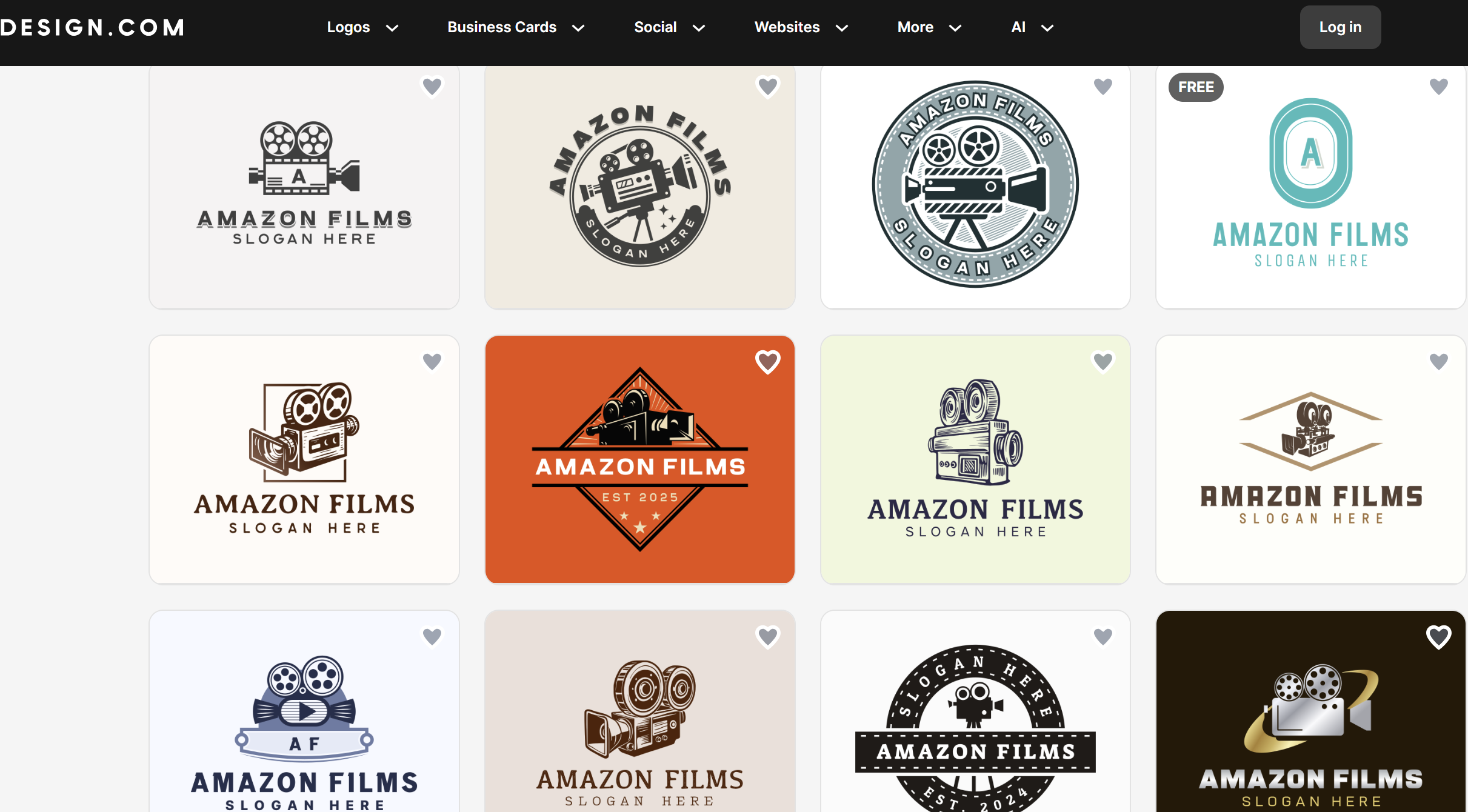
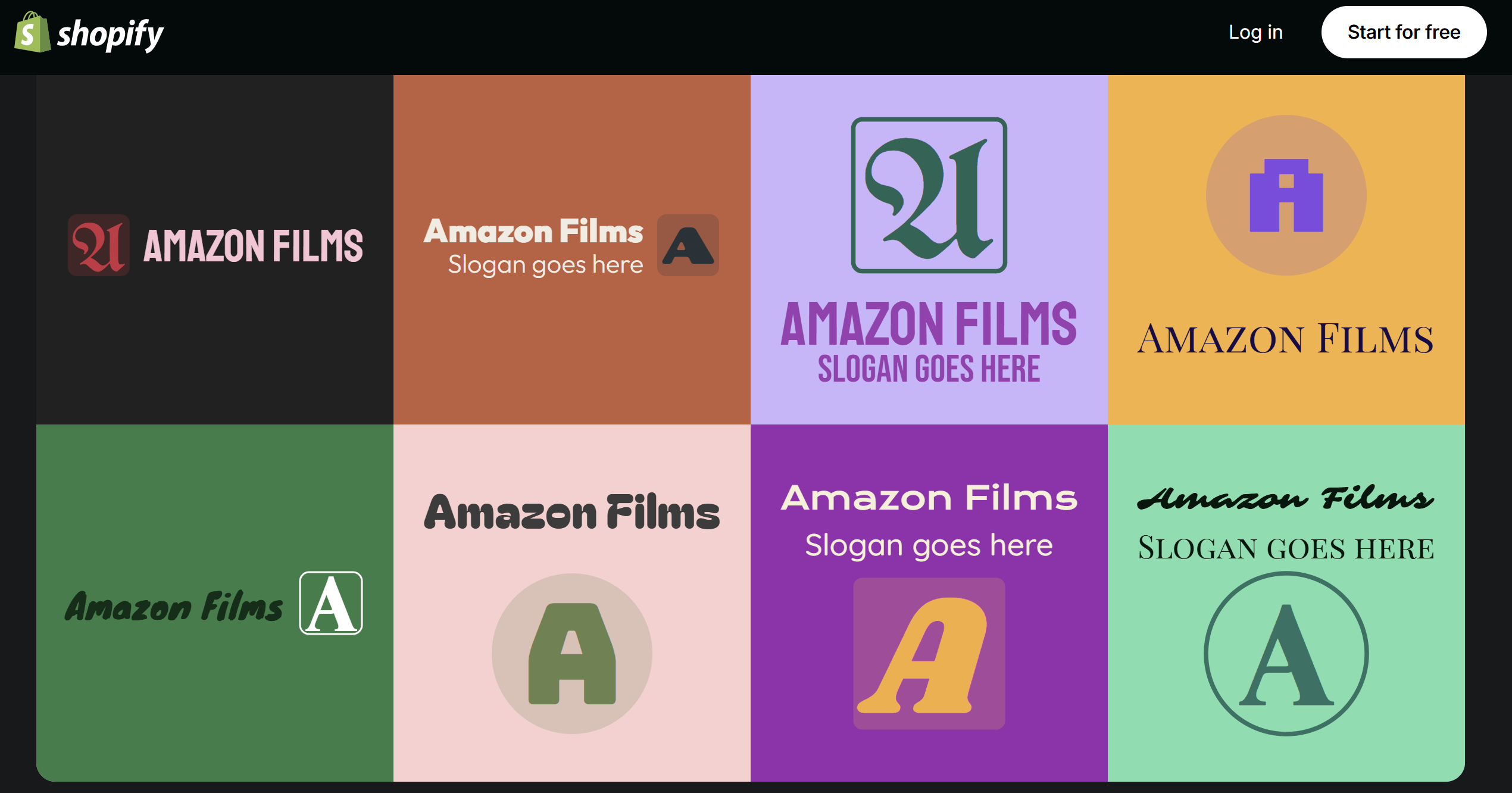
Now, let’s try to identify the differences between these two design options.
- In terms of quality, Design.com’s logos are slightly better. The reason behind it is that the tool not only uses AI technology but also integrates top designers who work on every element.
- Both logo makers provide rich and interesting coloring. However, by offering more shades and integrating shadowing, Design.com provides a unique logo design.
- In terms of design features, the logos by Hatchful do not use any complex design elements. On the other hand, Design.com offers logos that are visually richer and incorporate innovative design elements.
As a result, the logos by both tools are interesting, but Design.com provides modern solutions with the help of numerous features and by integrating professional designers.
Final Insights
Smart design makers are the best solution for those users who look for fast, professional, and affordable results.
After the comparison of Design.com and Hatchful, we came to the conclusion that Design.com is a better solution for diverse needs. The platform provides diverse AI features, the largest template library, and customisation to make your brand design unique and help you stand out among competitors. Although the smart logo maker is affordable and even provides a free tier, it offers full ownership, making your brand design protective.
Start creating your brand design and stand out in the market with the help of Design.com.